
Should You Attempt An iCloud Unlock Bypass?
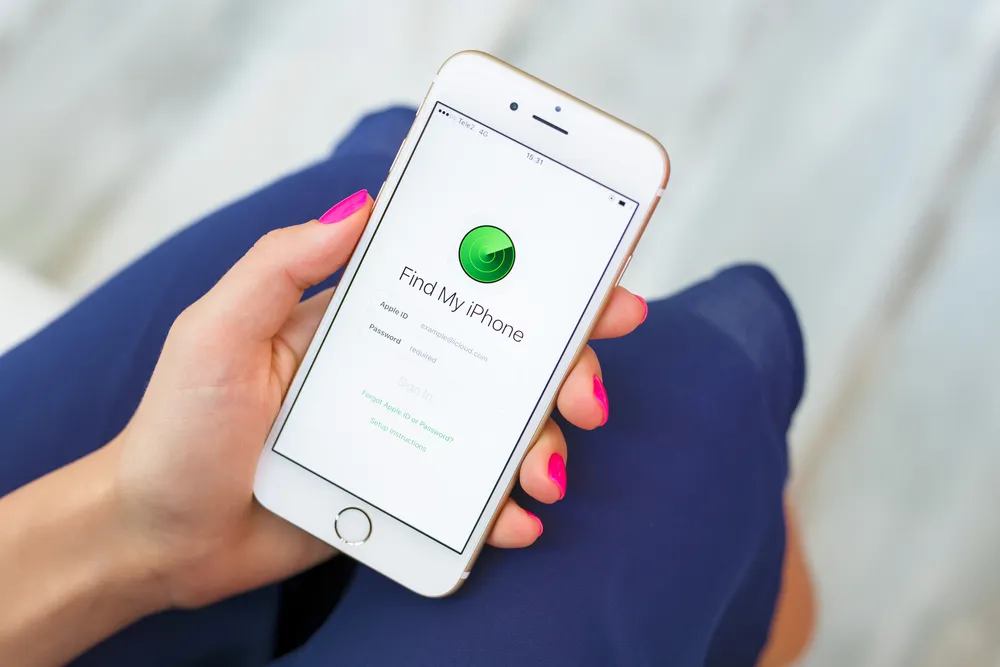
Thinking about attempting an iCloud unlock bypass? There are a few instances when you'll need this Apple iPhone hack. However, there are a few important things to know prior to attempting it.Attempting an iCloud unlock bypass allows Apple fans to get around the Apple activation lock if a phone is lost, stolen, or if a previous user’s iCloud account is still linked to the device.Let’s put the iCloud unlock bypass Apple smart device hack into tech perspective.
Apple iCloud Activation Lock: “Find My Phone”
The iCloud activation “Find My Phone” feature is useful. Users can utilize it to secure their device if it’s misplaced or stolen.However, the iCloud activation feature does come with a few issues. For instance, if your phone is locked and you forget your Apple ID password. Unable to reset your password, you might be unable to reactivate your device.Another problem you could face is purchasing an iPhone that’s still linked to the previous owner's iCloud account. This essentially make the smartphone an expensive paperweight.Luckily, there’s a DIY hack to bypass these Apple activation lock problems.
The iCloud Unlock Bypass for Your Previously Misplaced Smart Device
Everyone knows the feeling of losing or having your iPhone stolen. If it’s happened to you, then you probably used the “Find My Phone” feature and locked your smartphone remotely.“The activation lock gets enabled automatically when users turn on Find My iPhone feature via iCloud,” Lucian Constantin of PCWorld explained. “It links the device to their Apple IDs and prevents anyone else from accessing the device without entering the associated password.”While this is helpful, it can also cause problems. If you recover your phone but forget your Apple ID password, then you’re out of luck.The iCloud unlock bypass can help get you back into your smart device. You could even change your Apple ID and reactivate your iPhone permanently.
Using iCloud Unlock Bypass When Buying Used iPhones
If you’re in the market for a used iPhone, the iCloud unlock bypass is something you’ll want to understand.Why? As we mentioned before, in case the used smart device you purchased is still linked to the previous owner’s Apple account.Buying any used smartphone comes with a certain amount of risk. If you don’t do your due diligence and get the device’s IMEI checked, or run a mobile diagnostic test, you may find your purchase wasn’t the best investment.Fortunately, if you do buy an iPhone with an activation lock in place, you can get around it with the iCloud unlock bypass.
Attempting an iCloud Unlock Bypass
Here are two ways to attempt an iCloud unlock bypass to get back into your smart device, or get quick access to apps after buying a used phone:
Temporary Activation Lock Fix
- First, tap the Home button and go to Wi-Fi Settings.
- Next, tap the “i” next to the Wi-Fi symbol.
- This will take you to the network settings. Here you will find the DNS, and then need to delete the current DNS.
- Next, you will enter a new DNS. For North America, enter 104.154.51.7, for Europe enter 104.155.28.90, and enter 104.155.220.58 for Asia. All other regions can use 78.109.17.60 as the new DNS.
- Once the new DNS is entered, tap the back button and tap Activation Help.
- You should then see, “You have successfully connected to my Server.”
- Your iPhone should now be unlocked, and you will have access to most apps.
Semi-Permanent iCloud Unlock Bypass
- Access the Menu (after applying the temporary lock fix) and go to Applications.
- Next, tap Crash. This will refresh your screen and take you to the home screen where you will see the Apple logo.
- Just like setting up your iPhone for the first time, choose your country and language.
- Next, tap the Home button and got to Wi-Fi settings
- Tap the “i” symbol and scroll through the Menu under HTTP Proxy.
- Next, delete the address bar and tap on the icon of the globe/world in the keypad.
- Begin typing anywhere between 20 to 30 random characters and then put “8888” in Port.
- Next, tap the Back button.
- Tap “Next” and keep sliding to unlock and tap Language Options. This needs to be done for about three to four minutes without pause.
- Once complete, you will be taken to your iPhone’s Home screen.
You should now have access to your apps for several minutes at a time. Though you will need to restart your smartphone to access apps each time.There are plenty of ways to check any used phone to ensure the IMEI is clean, and the iCloud Activation lock is not an issue. Learn more about our Phonecheck 60-point diagnostic test and used phone certification today. It’s the simplest way to protect your tech investment.